Triumvirate Blog
Lock Your Book With Your Own Password
Your manuscript is scrambled on your own device before it is saved, so nobody else can read it, not even us
An unpublished manuscript is years of work, and for a lot of writers the scariest part of writing online is not knowing who else could read it. Stories get leaked. Ideas get copied. Accounts get broken into. So we built a way to make sure your book is yours alone.
In Studio you can now lock any book with your own password. Once it is locked, your words are scrambled on your phone or computer before they are saved. Our servers only ever hold scrambled text. Nobody at Triumvirate can read it, and nobody who broke into our systems could either.
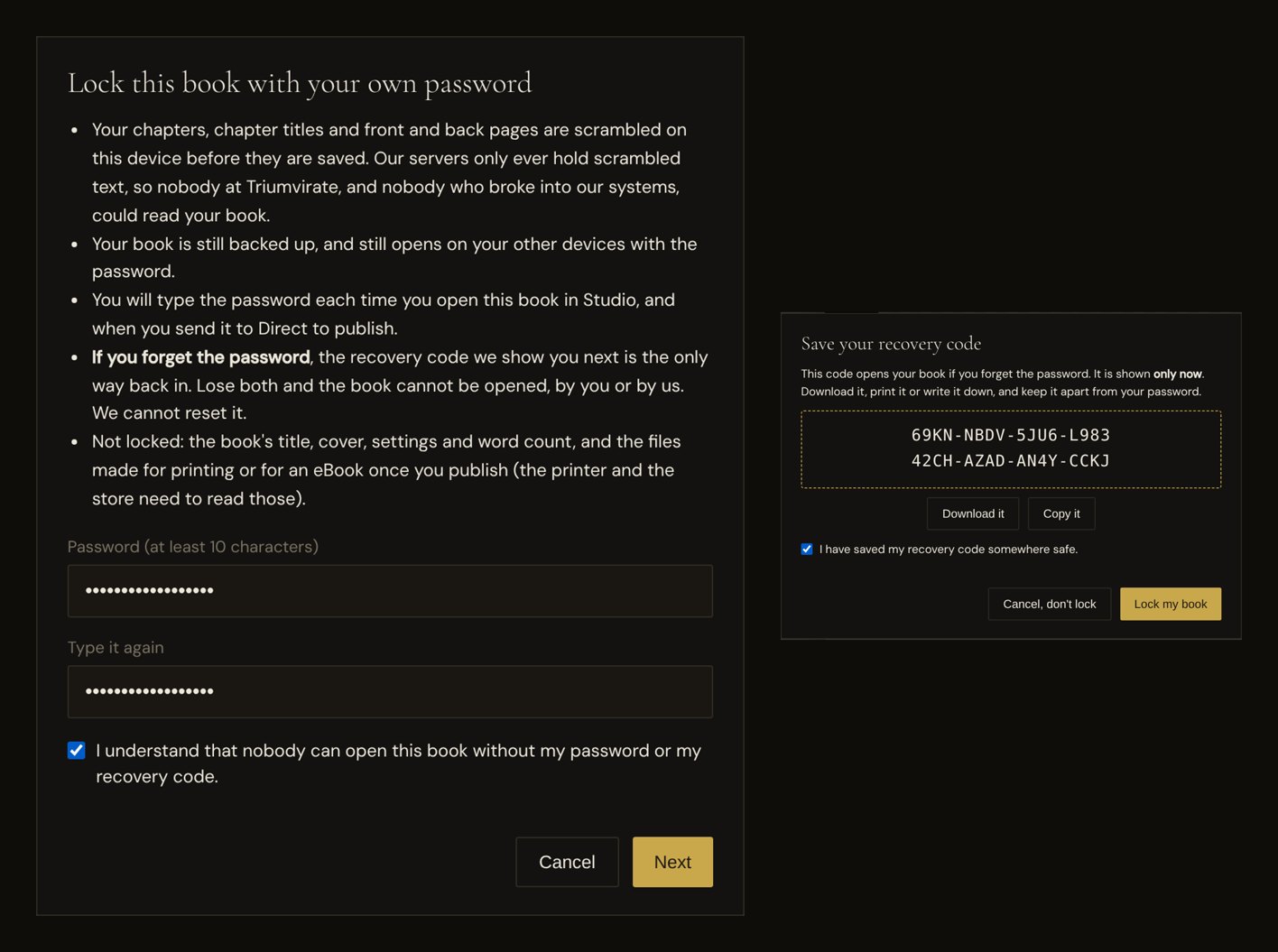
How to lock a book
- Open your book in Studio and press Lock at the top of the screen.
- Choose a password of at least 10 characters and type it twice.
- We show you a recovery code, once. Download it, print it or write it down, and keep it somewhere apart from your password.
- Press Lock my book. Everything already in the book is scrambled, and so is everything you write from then on.
What is locked
- Every chapter, word for word.
- Your chapter titles, because a title can give the plot away.
- Your front and back pages: dedication, acknowledgements, author's note and the rest.
Your book's title, cover, settings and word count are not locked, so your bookshelf still shows your books. When you publish, the files made for printing and for the eBook are normal files, because the printer and the store have to read them.
Still backed up, still on all your devices
Locking does not take your book off our servers. It just makes what is there unreadable without your password. Your book is still backed up, and it still opens on your laptop, your phone and your tablet. You type the password each time you open it in Studio, and once more when you send it to Direct to publish.
The one thing to know: keep your recovery code safe
Because we never see your password, we cannot reset it. If you forget it, your recovery code opens the book and lets you choose a new password. If you lose both, nobody can open the book: not you, and not us. That is exactly what makes the lock strong, so please keep that code somewhere safe.
You can change your password or take the lock off at any time from the same Lock button.
And if your signal drops
We also made Studio safer for writing on the go. Everything you write is now saved on your device first, then sent to us. If your connection drops on a train or in a café, keep writing: Studio tells you your work is safe on your device and sends it as soon as you are back online. Close the page by accident and it is still there the next time you open the book.
Locking is free and optional, one book at a time. Open Studio and press Lock on the book you want to keep to yourself. Questions? Just ask. A real person reads every message.